

Woodpecker Pricing 2026: The Per-Contacted-Prospect Meter Explained
Woodpecker bills by contacted prospects rather than sends. Here is how that meter actually runs, what trips it, and where the curve gets steep above 2,000 prospects.


Bottom line
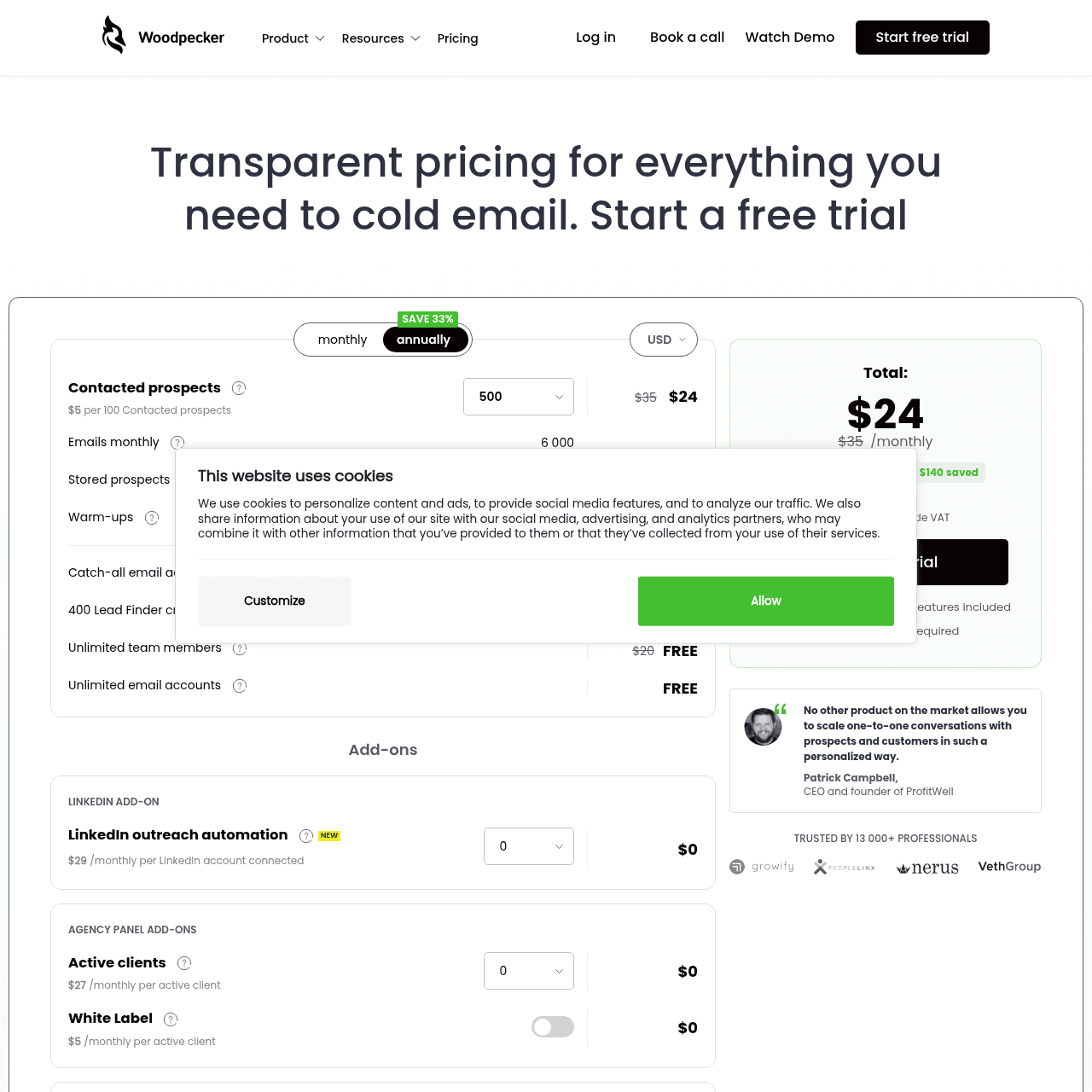
Woodpecker prices the metric most teams forget to budget for: contacted prospects, not sends. A contacted prospect is any person you reach out to in a given billing cycle, regardless of how many touches that takes. Send the same lead seven times in a sequence and the meter ticks once.
Send seven different leads once each and the meter ticks seven times. This makes Woodpecker structurally cheap for high-touch, low-list outbound (founder sales, ABM-style sequences, hand-built lists), and expensive for high-velocity, low-touch outbound (spray-and-pray, partner sourcing, mass announcements). The $29 entry covers 500 contacted prospects per month and unlocks every feature in the platform; there are no plan-gated capabilities.
The pricing page publishes Starter, Team Pro, and Max Pro tiers up to 5,000 prospects, with higher volumes negotiated. The cost curve gets steeper above 2,000 prospects per month, which is roughly the inflection point where most teams either commit to an annual contract for a discount or move to a per-send tool.
Woodpecker Plans
| Plan | Price | What you get | Watch out for |
|---|---|---|---|
| 500 Prospects monthly billing | $29/mo |
|
|
| 1,000 Prospects monthly billing, estimated | $49/mo |
|
|
| 2,000 Prospects monthly billing, estimated | $69/mo |
|
|
| Higher volumes contact for pricing | Scales with volume |
|
|
Per-contacted-prospect cost at each Woodpecker tier
| Usage scenario | Monthly cost | Notes |
|---|---|---|
| 500 prospects (entry) | $29/mo | Roughly $0.058 per contacted prospect. The lowest unit cost in the lineup, but the lead ceiling is tight enough that it usually only fits a single SDR on a single campaign. |
| 1,000 prospects | ~$49/mo (estimated) | Drops to roughly $0.049 per prospect. The tier where most one-person sales teams land. Confirm exact monthly amount during checkout. |
| 2,000 prospects | ~$69/mo (estimated) | About $0.035 per prospect. The pricing curve has flattened by this tier. This is the typical ceiling for a two-to-three-person outbound team running ABM-style sequences. |
| 5,000 prospects (high published tier) | Higher published tier, monthly | Per-prospect cost continues to drop but you are now near the top of the public pricing page. Above this you talk to sales for a custom quote. |
| Agency with 3 client books | Combined prospect count across all clients | Woodpecker counts prospects at the workspace level, so multi-client agencies see the bill scale with total reach across books. Agency mode itself is included at every tier with no extra fee. |
How the contacted-prospect meter actually counts
Woodpecker's meter is the single most-misunderstood thing about its pricing. A "contacted prospect" is one human in your address book that you reach in the current billing cycle. Six follow-up touches to the same lead is one tick.
One touch each to six different leads is six ticks. Bounced sends still count if Woodpecker attempted delivery before the bounce. Replies do not pull the prospect off the meter for the rest of the cycle.
This structure favors campaigns that drill into a small list (ABM, founder-led sales, 500-prospect lists with 5-touch sequences) and penalizes campaigns that fan out wide (5,000 prospects with 1-touch announcements). For a team running both styles, Woodpecker is cost-efficient on one and expensive on the other.
Key takeaways
- One person = one meter tick, regardless of touches
- Bounced attempted sends still count
- Replies do not refund the meter mid-cycle
- Favors deep sequences on small lists, penalizes wide fan-out
Annual prepay is offered but the discount is not on the page
Woodpecker offers annual billing on every tier, but the exact discount is not shown until you reach the billing screen during checkout. Public reports place the annual savings at 15 to 20 percent off the monthly equivalent. If you commit to a year, factor that into the total cost; if you pay monthly, you are essentially paying the unwritten convenience premium.
Teams that should pay monthly: anyone still in the first 90 days of evaluating product-market fit on their outbound motion. Teams that should pay annual: anyone with a steady-state outbound channel that has run for at least two consecutive quarters at consistent volume.
Key takeaways
- Annual discount: roughly 15-20 percent, not displayed pre-checkout
- Monthly billing is the right call during early-stage evaluation
- Annual billing makes sense after two quarters of stable volume
- No prorated mid-cycle upgrades published
How Woodpecker bills agencies running multiple clients
Agency mode is included at every tier with no upgrade. The pricing trap to understand: prospect counts roll up at the workspace level. If you run three client campaigns of 700 prospects each, you are on a 2,100-prospect plan, not three separate 700-prospect plans.
There is no per-client billing. For agencies, this creates two patterns. Pattern one: aggregate all clients into one Woodpecker workspace, pay one plan based on combined prospects.
Pattern two: split into one workspace per client, billed separately, useful if you need clean per-client invoicing for your own accounting. The first is cheaper; the second is cleaner. Most boutique agencies pick the first; managed-service agencies with enterprise reporting pick the second.
Key takeaways
- Agency mode is free; the prospect meter rolls up at the workspace
- Three 700-prospect campaigns = one 2,100-prospect plan
- No native per-client invoicing; pick workspace structure accordingly
- White-label client portals available on higher tiers
Cancellation, refund, and pause mechanics
Woodpecker monthly plans cancel at the end of the current cycle. There is no published prorated refund for partial months. Annual plans do not refund the unused portion if you cancel mid-term; you keep access until the term ends.
There is no native pause feature documented publicly. If your team takes a quiet quarter, you cancel and re-sign rather than pausing. Reactivation preserves your data for some window (the exact duration is not published; ask before deleting accounts).
For teams running seasonal outbound (recruiting agencies, B2B SaaS hitting hard at end of quarter), the lack of pause is a real planning constraint. Compare with the per-month cancel-and-resume mechanics if you operate that way.
Key takeaways
- Monthly: cancel at end of cycle, no partial refunds
- Annual: no refund for unused term portion
- No published account-pause feature
- Data retention after cancel: not publicly documented
Keep reading
Got questions? We've got answers.
One contacted prospect equals one human in your address book that you reach in the current billing cycle, regardless of how many follow-up touches you send. Six follow-ups to one lead is one tick. One email each to six leads is six ticks. Replies do not refund the meter mid-cycle.
Ready to hit primary?
Set up SendKit's isolated infrastructure and start sending in under 15 minutes.
Dedicated IPs on every plan. Cancel anytime.