
 vs
vs
SendKit vs Hunter.io (2026): Finder-First Workflow vs Sender-First Workflow
A workflow comparison of Hunter.io (built around finding emails) and SendKit (built around sending them). Where each tool sits in a sales stack, how the daily UX differs, and where the dividing line between data and outreach actually falls.

The Verdict
Hunter and SendKit operate on opposite sides of the cold email lifecycle. Hunter starts with the question "who do we email" and answers it with an email finder, a domain search, a verifier, and intent signals against a B2B database. The campaign feature exists but plays second fiddle.
SendKit starts with the question "how do we send to them reliably" and answers it with a mailbox manager, an isolated routing layer, a sequencer, a dialer, and a CRM. The finder exists but plays second fiddle. Most sales teams need both halves.
The right question is not "which tool wins" but "which half is your bottleneck right now." Teams whose primary pain is sourcing accurate, intent-flagged contacts run Hunter as the data spine and pair it with a sender. Teams whose primary pain is deliverability, multi-mailbox management, or post-reply workflow run SendKit as the outbound spine and either bring data with them or rely on the in-product finder.
SendKit vs Hunter.io: Feature-by-Feature
| Feature | |  Hunter.io Hunter.io |
|---|---|---|
| Infrastructure | ||
| Dedicated IPs | Every plan Dedicated IP on all plans from $99/mo | No Shared infrastructure |
| Isolated Infrastructure | Yes Fully isolated sending | No Shared sending |
| Email Warmup | Unlimited, AI-powered AI warmup on all plans | No No native warmup |
| Inbox Placement Testing | Built-in Test inbox vs spam | No No placement testing |
| Features | ||
| Email Finder | 350M+ contacts Built-in lead finder | B2B database Domain search, email finder, intent signals |
| Email Verification | Built-in Pre-send validation included | Credit-based Verifier consumes credits from shared pool |
| Intent Signals | No Not available | Yes Intent signals for targeted outreach |
| Built-in Dialer | Yes Native cold calling | No No dialer |
| CRM | Yes Built-in pipeline CRM | No Integrations with external CRMs |
| Sending | ||
| Email Accounts | Unlimited Effectively unlimited under a generous fair-use policy that typical users never reach | Unlimited users Unlimited users on all paid plans |
| Monthly Emails | 75K to 2.5M 75K (Essential) to 2.5M (Agency) | Credit-based Sending tied to credit allocation |
| Scale | ||
| White-label | From $499/mo Full white-label on Pro | No No white-label |
Switch to SendKit
Dedicated IPs. Isolated infrastructure. From $99/mo.
Pricing Comparison
75,000 emails · 30,000 leads
Full stack at single price
250,000 emails · 100,000 leads
Finder credits scale up
500,000 emails · Unlimited leads
White-label tier
2,500,000 emails · Unlimited leads
Account manager included
Hunter.ioDriven by credits emails · 50 credits/mo leads
Quick evaluation
Driven by credits emails · 2,000 credits/mo leads
Unlimited users
Driven by credits emails · 10,000 credits/mo leads
Intent signals
Driven by credits emails · 100,000 credits/mo leads
Highest published tier
Pricing takeaway
The two pricing models measure different units. Hunter meters credits across finding, verifying, and sending out of one pool. SendKit meters sends and lead capacity as separate allocations. For full per-credit math, the unlimited-user economics, and the annual prepay gap, see /hunter-pricing.
Where each product's daily workflow actually starts
Open Hunter on a Monday morning. The default view is the dashboard for email finder usage, intent signals from the previous week, and recent verification jobs. The product is asking: what data work do we need to do today? Building a campaign is a few clicks away, but it is not where the eye lands first.
Open SendKit on a Monday morning. The default view is the live campaigns dashboard with per-mailbox reply rates, mailbox health flags, and the unified inbox of warm replies waiting for a response. The product is asking: what sending work needs attention today? The finder is available, but it is a sidebar tool, not the lobby.
This is a UX expression of each tool's philosophy. Hunter is engineered around the question "is this list ready to outreach to." SendKit is engineered around the question "are these campaigns landing where they should." Most sales teams need both questions answered, which is why the two products often pair rather than substitute.
Key takeaways
- Hunter's default view is the data dashboard
- SendKit's default view is the live campaigns dashboard
- Hunter asks: is the list ready
- SendKit asks: are the sends landing
How team shape affects the right choice
Hunter's unlimited-user policy is the most underrated feature in this comparison. A 10-person sales team on Hunter Starter pays $49/mo total. The same team on most per-seat tools would pay $250 to $990 per month.
For revenue-ops-led teams that need data access across the SDR floor, account executive bench, and ops staff, Hunter is structurally cheaper than seat-priced alternatives. SendKit does not charge per seat either, but the workflow is built for fewer, more concentrated power users running multiple campaigns. The natural fit is a 2-to-5-person outbound team running 30 mailboxes.
The unlimited-mailbox policy matters more than unlimited users at that team size. The split: wide teams that need data access lean Hunter. Concentrated teams that need sending volume lean SendKit.
Some organizations run both for exactly this reason: the RevOps and AE bench use Hunter for data lookups; the SDR team uses SendKit to execute campaigns.
Key takeaways
- Hunter unlimited users = structurally cheap for wide teams
- SendKit unlimited mailboxes = structurally cheap for high-volume senders
- Wide teams (10+ users, light usage each) lean Hunter
- Concentrated teams (2-5 users, heavy usage each) lean SendKit
Start sending today
Set up in 15 minutes. Dedicated IPs on every plan.
How meaningful intent signals are in practice
Hunter's intent signal feature is the genuine differentiator most reviews underweight. The data identifies companies showing buying behavior (job posts, tech stack changes, news mentions, hiring patterns) and surfaces them in your prospect lists. For B2B sales motions targeting mid-market and enterprise accounts, intent data has been shown to meaningfully improve reply rates when used to time outreach.
SendKit does not include intent signals. If intent-based prospecting is core to your motion, SendKit alone is not the answer. Teams in this position either pair SendKit with Hunter (or a similar intent provider) or build intent logic outside both tools (using Bombora, 6Sense, or Common Room data piped in via webhook).
The practical heuristic: SMB and high-velocity outbound rarely justifies the intent signal layer because the per-prospect time budget does not allow for the timing nuance intent data enables. Mid-market and enterprise outbound almost always benefits.
Key takeaways
- Hunter intent signals improve mid-market and enterprise reply rates
- SendKit does not include intent data
- SMB outbound rarely benefits enough to justify the layer
- Mid-market and enterprise outbound almost always benefits
The Hunter + SendKit pairing that often beats either alone
A meaningful number of teams run Hunter and SendKit together rather than choosing between them. The pattern: Hunter handles the lead-discovery-to-verification phase, SendKit handles the verified-list-to-replied-conversation phase. Lists flow from Hunter into SendKit either via API or a CSV export.
Why the pairing works: the credit economics on Hunter are favorable for data work but unfavorable for sending. The send economics on SendKit are favorable for campaigns but the finder is leaner than Hunter's database for some industries. Running both lets each tool play to its strength.
Why it might not work: two subscriptions to manage, two seats to coordinate, two billing cycles to track. Teams that want a single-tool experience pick one based on which side of the workflow is their bigger bottleneck and accept the trade-off on the other side.
Key takeaways
- Hunter handles discovery to verification
- SendKit handles verified list to replied conversation
- CSV or API export connects the two
- Trade-off: two subscriptions to manage vs a single-tool experience
Pros & Cons
SendKit
Strengths
- Live campaigns dashboard is the default view, not the finder
- Unlimited mailbox connections fit concentrated high-volume teams
- Native dialer, CRM, and inbox closing the post-reply workflow
- Multi-mailbox routing layer keeps reputation isolated as volume scales
Limitations
- No intent signal data; pair with Hunter or external intent provider if needed
- Lighter footprint per-user than Hunter for revenue-ops-led organizations
- Finder database depth is workable but trails Hunter for some niche industries
Hunter.io
Strengths
- Intent signal data is the genuine category-leading differentiator
- Unlimited users on the workspace structurally cheap for wide teams
- Domain search is the most polished UX for company-based prospecting
- Free plan lets you try the finder before committing
Limitations
- Campaign workflow is functional but plays second fiddle to data work
- No native dialer or post-reply CRM
- Mailbox health and reputation tooling are out of scope
- Credits do not roll over and verifier does not deduplicate across uploads
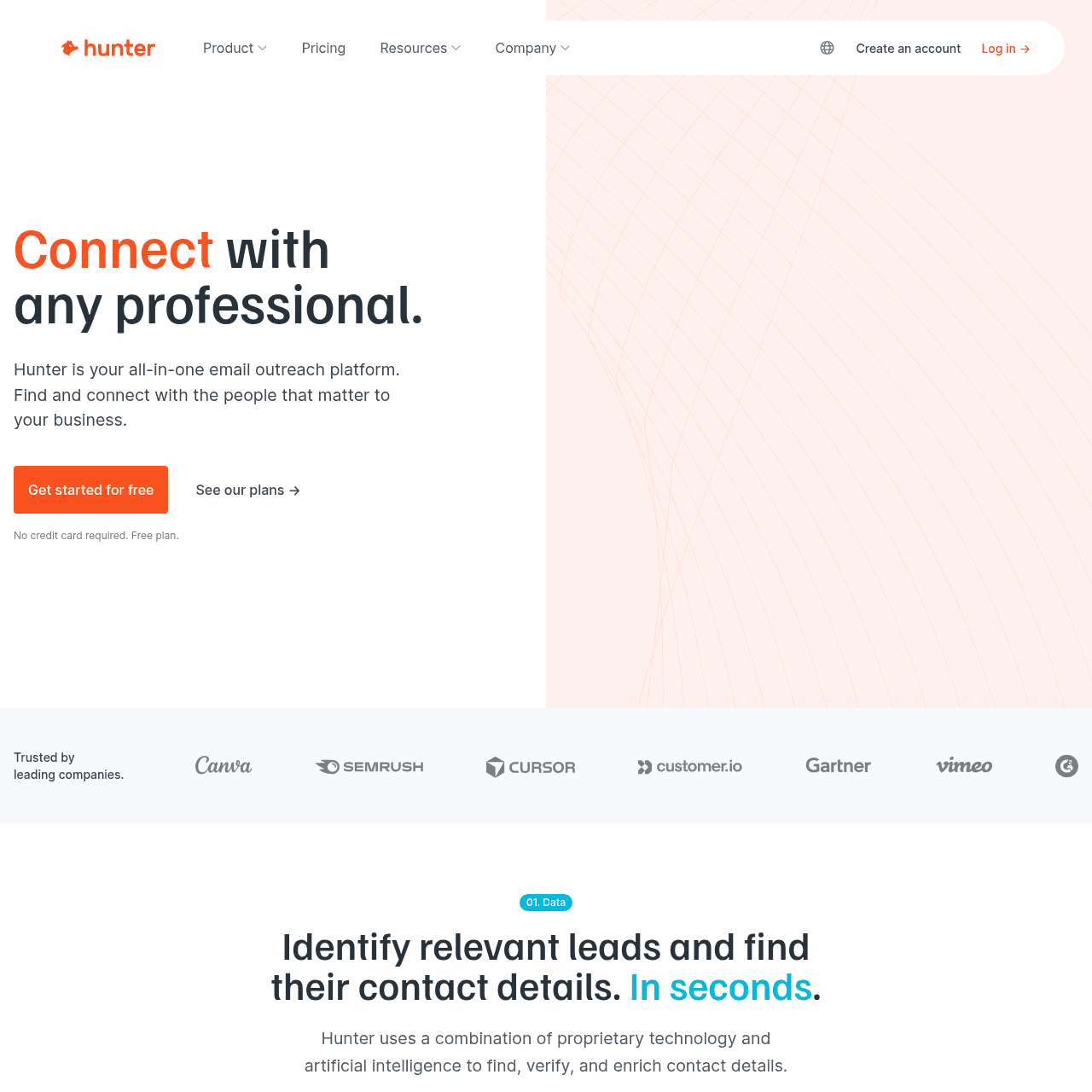
Hunter.io Screenshots
Ready to switch?
Your reputation, your control. No shared infrastructure.
Keep reading
Got questions? We've got answers.
Many teams do not. The pairing pattern (Hunter for data discovery and verification, SendKit for verified-list-to-reply workflow) is common enough that it is worth considering. If your bottleneck is on one side of the workflow much more than the other, pick the tool that solves that side.
Ready to hit primary?
Set up SendKit's isolated infrastructure and start sending in under 15 minutes.
Dedicated IPs on every plan. Cancel anytime.